 Live
LiveSift
Simple by default, smart underneath.
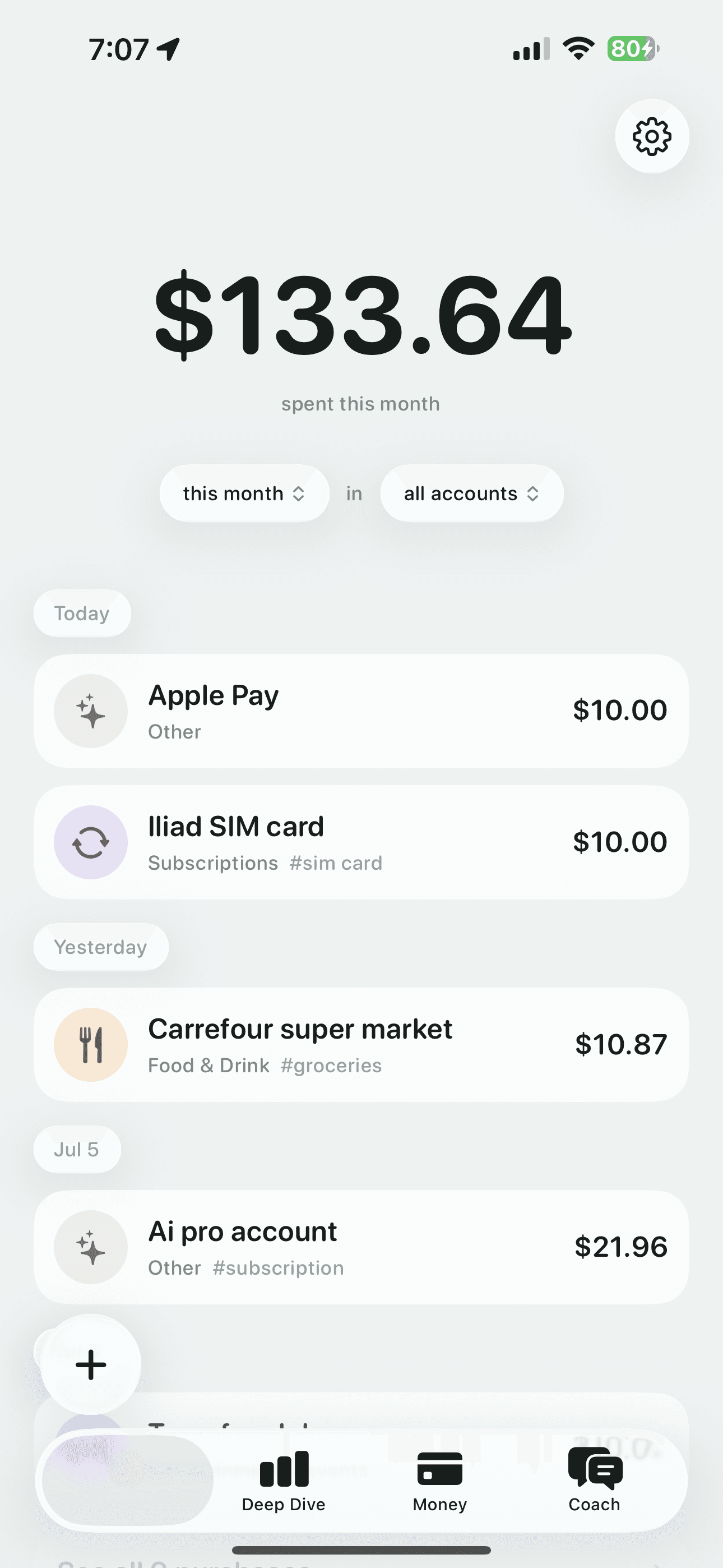
Sift keeps expense tracking simple: one clear number on Home tells you where you stand. Snap a receipt or an Apple Pay screenshot and Sift reads the total, cleans up the merchant name, and files it under the right category automatically. Dive deeper with charts when you want to, chat with an AI coach about your spending, and keep an eye on subscriptions and loans — all backed by a home screen widget and Live Activity.
Everything you need, nothing you don't
The details that make Sift feel effortless.
One clear number
Home shows exactly where you stand, with everything else just a tap away.
Scan any receipt
Snap a paper receipt or an Apple Pay screenshot and Sift reads the total and merchant automatically.
Subscriptions & loans
Sift spots recurring charges on its own and tracks loans with a built-in calculator.
An AI coach
Chat about your spending and get answers grounded in your real numbers, never guesses.
Widget & Live Activity
Keep an eye on your spending from the Home Screen and Lock Screen.
See it in action
Tap any screen to open it full-size.
Built with a modern stack
- SwiftUI
- SwiftData
- Vision
- WidgetKit
- ActivityKit
Like Sift? Explore the rest.
Every Iosvisual app is crafted with the same attention to detail.